Embroidery Basics
What Is an EXP File? Complete Guide to the Melco EXP Embroidery Format
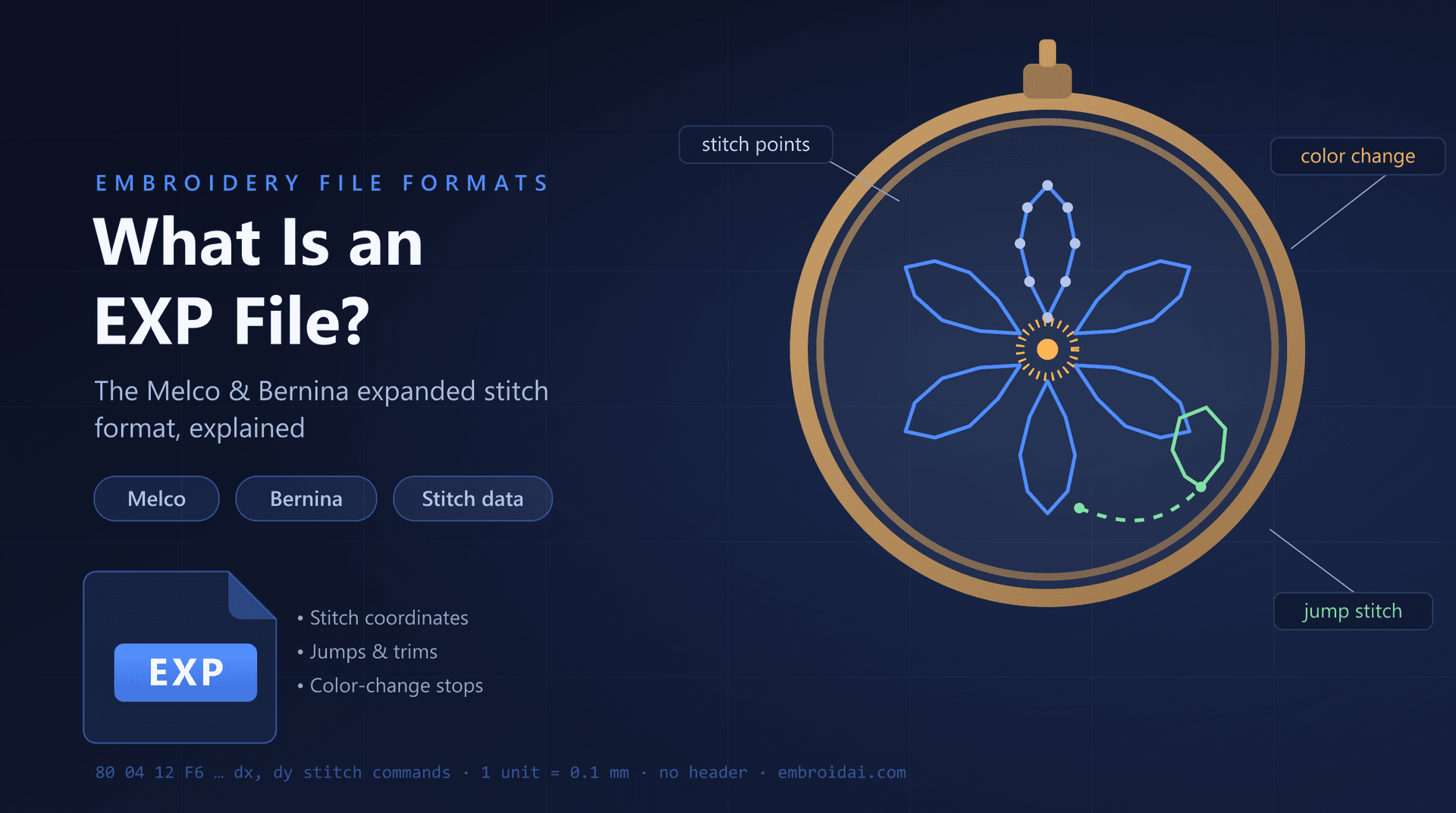
If you work with Melco or Bernina embroidery machines, sooner or later a design will arrive as an EXP file. EXP is one of the oldest and most reliable machine embroidery formats still in daily use, and it remains the native stitch format for Melco commercial machines.
In this guide, you'll learn what an EXP file is, where the format comes from, what stitch data it stores, how it compares to DST and PES, and how to open, view, and convert EXP files.
What Is an EXP File?
An EXP file is a machine embroidery file format originally developed by Melco, one of the pioneering manufacturers of commercial embroidery machines. EXP is short for Expanded, as in expanded stitch data.
Like other machine formats, an EXP file is not an image. Instead of pixels, it stores a sequence of low-level commands that tell the embroidery machine exactly where to place every stitch.
These commands include:
- Stitch movements (needle penetrations)
- Jump stitches
- Color change stops
- Trim commands
When a Melco or Bernina machine loads an EXP file, it simply replays these commands one after another, moving the hoop in tiny increments of 0.1 mm until the design is fully stitched.
Why Is It Called an "Expanded" Format?
The name makes sense when you know Melco's history. Early Melco systems worked with two kinds of files:
- Condensed files (.CND) — compact outline data that the software scales and regenerates stitches from
- Expanded files (.EXP) — the final, fully generated stitch data, ready for the machine
A condensed file is like a recipe; an expanded file is the finished dish. Every stitch in an EXP file has already been calculated, which is why the format is so dependable in production: what you see in a preview is exactly what the machine will sew.
The trade-off is that expanded stitch data does not resize well. Scaling an EXP design changes stitch spacing without adding or removing stitches, so significant size changes should be done in the original digitizing file instead.
Which Machines and Brands Use EXP Files?
Two well-known embroidery brands rely on the EXP format directly:
Melco
EXP is the native production format for Melco commercial machines, including the popular EMT and Bravo series used in embroidery shops worldwide.
Bernina
Bernina home embroidery machines also read EXP files. Bernina designs typically travel as a small set of companion files: the .EXP with the stitches, a .INF file with thread color information, and a .BMP thumbnail used for on-screen previews.
Everything Else, via Conversion
Most digitizing and embroidery software — including tools from Wilcom, Hatch, Embird, and the free Ink/Stitch — can read and write EXP. If your machine expects DST, PES, or JEF, the EXP design can be converted without redigitizing.
What Information Does an EXP File Contain?
An EXP file is remarkably simple inside — one reason it has survived for decades.
Relative Stitch Movements
Each stitch is stored as a small X and Y movement from the previous needle position, measured in 0.1 mm units. The machine adds up these movements to trace the entire sewing path.
Jump Stitches
Jump commands move the hoop to a new position without stitching, letting the design skip between separate sections.
Color Change Stops
A stop command pauses the machine so the operator (or a multi-needle machine) can switch to the next thread color.
Trim Commands
Trim commands cut the thread before the machine jumps to another part of the design, keeping the back of the embroidery clean.
Unlike DST, a classic EXP file has no header block at all — the stitch commands start at the very first byte. Design dimensions and stitch counts are worked out by software when the file is opened.
What Does an EXP File Not Contain?
Because the format is pure stitch data, several things are simply not stored:
- Actual thread colors or brand color codes
- Design name, author, or copyright metadata
- Fabric or stabilizer recommendations
- Editable design objects (outlines, lettering, fills)
- Preview thumbnails (Bernina uses a separate .BMP for this)
This is why an EXP design often opens with default or random colors in viewing software: the palette was never in the file. Professional digitizers keep the master design in their software's native format and export EXP only for production.
EXP vs DST: What's the Difference?
EXP and DST are close cousins — both are compact, stitch-only production formats. The main differences come down to origin and machine support:
| EXP File | DST File |
|---|---|
| Developed by Melco | Developed by Tajima |
| Native to Melco and Bernina machines | Supported by most commercial machines |
| No file header | 512-byte text header |
| No thread colors stored | No thread colors stored |
| Common in Melco shops and Bernina home setups | The de facto industry exchange format |
In practice, the two formats are interchangeable through conversion, and many digitizers deliver both. For a deeper look at the other side of this comparison, see our guide on DST vs PES.
How Are EXP Files Created?
EXP files are created through embroidery digitizing — the process of converting artwork, logos, or text into machine-readable stitch instructions.
During digitizing, the designer decides on:
- Stitch types (running, satin, and fill stitches)
- Stitch directions and density
- Underlay to stabilize the fabric
- Pull compensation for fabric stretch
- The sewing sequence and travel paths
Once the design is finished, the software generates the final stitch data and exports it as EXP for Melco or Bernina machines — or as DST, PES, or JEF for other brands.
How to Open and View an EXP File
There are three practical ways to open an EXP file:
Embroidery Software
Digitizing suites and free tools such as Ink/Stitch can open EXP designs, show the stitch path, and re-export to other formats.
Embroidery Machines
Melco machines load EXP natively, and Bernina machines read EXP designs from a USB stick along with their companion files.
Online Viewers
An online viewer lets you inspect a design in the browser without installing anything. The free EmbroidAI EXP viewer opens a .exp instantly and shows stitches, color blocks, jumps, trims, and exact dimensions — and there's a matching DST viewer if you have the same design as a .dst.
Work with embroidery files in your browser
Convert DST ↔ PES for free, or sign in to digitize artwork and export machine-ready DST, PES, EXP, and JEF files.
Common EXP File Problems (and Fixes)
The colors look wrong
This is expected. EXP stores color change stops, not colors. Assign the correct threads at the machine, or keep the digitizer's color sheet (or Bernina .INF file) with the design.
The file won't open
Make sure it is a genuine embroidery EXP and not an unrelated .exp export from another program — a handful of non-embroidery applications use the same extension. If in doubt, ask the digitizer to re-export the file.
The design stitches poorly after resizing
Expanded stitch data cannot be scaled far without losing density. Resize the original digitizing file, or have the design redigitized at the new size.
Common Uses of EXP Files
You'll typically encounter EXP files in:
- Melco-based embroidery shops and production floors
- Bernina home embroidery projects
- Corporate logo and uniform embroidery
- Caps, jackets, and promotional products
- Design marketplaces that bundle EXP alongside DST and PES
Because the format is so simple and widely supported by software, EXP remains a safe delivery format decades after it was introduced.
Frequently Asked Questions
What does EXP stand for?
EXP stands for Expanded. It is Melco's expanded stitch format, meaning every individual stitch is stored as an explicit machine command rather than as an editable design object.
Which embroidery machines use EXP files?
EXP is the native format of Melco commercial machines (including the EMT and Bravo series) and is also read by Bernina home embroidery machines. Most other machines can use an EXP design after converting it to their own format.
Do EXP files store thread colors?
No. Like DST, an EXP file stores stitch and color-change commands but not actual thread colors. Bernina machines pair the EXP with a companion .INF file that carries color information, and operators can reassign colors at the machine.
Can I convert an EXP file to DST or PES?
Yes. Because EXP, DST, and PES all store stitch data, embroidery software and online converters can translate between them while keeping the stitches intact.
Can I open an EXP file by renaming the extension?
No. An EXP file contains machine stitch instructions, not image data, so renaming it to .jpg or .png will not make it viewable. Use embroidery software or an online EXP viewer instead.
Is every .exp file an embroidery file?
No. A few unrelated programs also use the .exp extension for exported data. An embroidery EXP file comes from digitizing software or an embroidery machine and opens in embroidery tools.
Conclusion
An EXP file is Melco's expanded stitch format: a compact, headerless sequence of stitch, jump, trim, and color-change commands that Melco and Bernina embroidery machines can sew directly. It stores everything the machine needs and nothing it doesn't — which means thread colors and design metadata live elsewhere.
If you receive an EXP design, you can view it in embroidery software, sew it on a Melco or Bernina machine, or convert it to DST, PES, or JEF for any other brand. Understanding what the format does (and doesn't) contain is the key to smooth production and correctly colored results.