Online PES Viewer
Open and preview Brother / Babylock PES files right in your browser. See realistic stitches in their real thread colors, design size, stitch count and estimated machine runtime — free, with nothing to install.
Your file is read locally in your browser to render the preview.
How it works
View a PES file in 3 steps
Upload your PES file
Drag a .pes file into the viewer or click Upload — it opens instantly in your browser.
Preview & customize
Switch fabrics, recolor threads, toggle jumps and play the stitch animation.
Read the details
Check stitch count, colors, size and estimated machine runtime before you sew.
Features
Everything you need to preview embroidery files
True-to-thread preview
Render PES stitches with realistic thread shading on studio, t-shirt, cap, denim, towel and felt backgrounds.
Stitch-by-stitch Simulation
Animate the design the way the machine sews it, and estimate runtime from your machine's stitches-per-minute.
Real thread colors
PES files store the original colorway, so the design opens in its true colors — and you can recolor any block.
Design details
Read stitch count, color count and exact design size in millimeters straight from the PES design.
Jumps & stitch points
Toggle jump stitches, stitch points and the stitch line to inspect pathing and trims.
Private & in-browser
Files you drop are parsed locally in your browser — nothing is uploaded to view a design.
Mobile friendly
Open, preview, measure and export PES designs on any phone or tablet — the viewer is fully touch-friendly and responsive.
Export to PNG & PDF
Convert your design to a high-quality PNG image, or export a branded PDF spec sheet with stitch count, colors, size and thread length.
Verify on real fabrics
Check the stitch-out against studio, t-shirt, cap, denim, towel and felt backgrounds to confirm how it reads on different garments.
What is a PES file?
A PES fileis the native embroidery format for Brother and Babylock machines. It wraps an embedded PEC block that stores the stitch coordinates, jump stitches, trims, color-change commands and — unlike DST — the design's actual thread colors. You still need a PES viewer to see what the design looks like before you stitch it.
PES was developed by Brother and has evolved through many versions over the years, from PES v1 up to v10 and beyond. Each version added capabilities, which is why a file saved in a newer version can sometimes be rejected by an older machine. The key advantage of the format is that it carries a thread palette alongside the stitches, so the design remembers its intended colorway — the single biggest difference between PES and the colorless DST format.
Because a raw PES is still binary stitch data, you cannot simply open it as an image. That is exactly what a viewer is for: our online PES viewer reads the file directly in your browser and reconstructs the design with a realistic, true-to-thread preview in its real colors. You can inspect the stitch path, recolor any thread, switch the simulated fabric, and read the design size and stitch count before sending it to your machine — no desktop digitizing software required.
Previewing first is one of the easiest ways to avoid wasted material: confirm the size fits your hoop, check that small text and fine detail will stitch cleanly, spot excessive density that could pucker the fabric, and verify the color order before you thread the machine. Whether you are a Brother owner opening a downloaded design, a shop checking a client file, or a hobbyist who just wants to see what a PES contains, everything runs in your browser, on any device, for free.
Benefits
Why use our online PES viewer
Fast, free and private — built to help you check a Brother or Babylock design before you commit thread to fabric.
Instant, in your browser
Your PES opens the moment you drop it in — there is no upload queue, no processing wait and no software to install before you can see the design.
Free with no login
View, measure and export as many PES files as you like without an account, a subscription or a watermark stamped across the preview.
Opens in real thread colors
Because a PES file embeds the design's colorway, the viewer shows the intended colors right away — and you can still recolor any block to test alternatives.
Know the size and stitch count
Read the exact design size in millimeters, total stitch count and color count straight from the PES design to confirm it fits your hoop and garment.
Works on any device
The viewer runs entirely in the browser on desktop, tablet and phone — no plugins, no app store and no operating-system restrictions.
Estimate machine runtime
Enter your machine's stitches-per-minute and the viewer estimates how long the design will take to sew, so you can plan production and quote jobs accurately.
Supported machines
PES works across Brother, Babylock and beyond
Native to Brother and Babylock, imported by many home machines, and convertible to DST for commercial heads.
Brother & Babylock
PES is the native format for Brother and Babylock home and commercial machines, so files open cleanly and load straight from USB or design card.
Bernina & Janome
Many Bernina and Janome models import PES directly. Preview the design here first to confirm colors, size and stitch count before you load it.
Commercial multi-head
For Tajima, Barudan, SWF and Ricoma heads that prefer DST, preview your PES here, then convert to DST so it runs on commercial machines.
Other machines & software
Almost every embroidery design program can open PES, so the designs you preview here will import into the vast majority of home and commercial setups.
Running a commercial machine that expects DST? Preview your design here, then use the DST ⇄ PES converter to export the format your machine needs.
Common problems
Troubleshooting & tips
Quick answers to the issues people hit most when opening and previewing PES files.
My PES version won't open on the machine
PES has several versions (from PES v1 up to v10+). Older machines may reject a newer version. Preview the design here, then re-save or convert it to a version your machine supports.
The colors look different from what I expected
PES stores a thread palette, but exact shades depend on the thread brand each machine maps to. Use the recolor tool to assign the specific threads you plan to sew with before stitching.
The design looks smaller or larger than expected
The viewer reads the true size in millimeters from the design. If it seems off, it was likely digitized at that size — check the measurements before hooping so it fits your garment.
My file will not open in the viewer
Make sure the file is a genuine .pes file and not a renamed DST, EXP or image. Try re-exporting a clean PES from your design software, then drop it into the viewer again.
There are long jump lines across the design
Those are jump stitches between sections. Toggle jump stitches off to preview the finished look, and expect your machine to trim them automatically if trims are enabled.
PES viewer questions
PES is the native embroidery format for Brother and Babylock machines. It wraps a PEC stitch block that stores the stitch coordinates, jumps, trims, color changes and the design's thread colors that tell the machine how to sew it.
Upload or drag your .pes file into the EmbroidAI online PES viewer above. The design renders instantly in your browser with a true-to-thread stitch preview in its real colors — no software to install.
Yes. Viewing and previewing PES files is completely free and does not require an account. Sign in for additional tools like saving designs to your library and exporting other formats.
No. The viewer runs entirely in your web browser on desktop and mobile. Your file is parsed locally just to display it.
Yes. Unlike DST, a PES file embeds the design's colorway, so the viewer opens it in its real thread colors. You can still recolor any block to preview alternate combinations.
Yes. You can export the current preview as a high-quality PNG image, or download a branded PDF spec sheet that includes the design render along with stitch count, colors, size and total thread length.
Yes. The viewer is fully responsive and touch-friendly, so you can open, preview, measure and export PES files on a phone or tablet — no app to install.
Both store the stitch data a machine sews, but PES is the native Brother/Babylock format and embeds the design's thread colors, while DST is the universal commercial (Tajima) format and stores no colors. That is why a PES opens in its real colors and a DST usually imports as a single flat block until you recolor it.
Yes. Even though a PES opens in its embedded colors, you can tap any color block to change its thread color and instantly preview alternate combinations before you sew.
PES is native to Brother and Babylock and is imported by many Bernina and Janome models, plus virtually every embroidery design program. For commercial Tajima-style heads that prefer DST, preview the PES here and convert it to DST first.
PES has multiple versions, and an older machine can reject a file saved in a newer version. If your machine reports an unsupported file, re-save or convert the design to an earlier PES version, or export it as DST which almost every machine reads.
Jump stitches are travel moves the needle makes between separate parts of a design without stitching. The viewer lets you toggle them on or off so you can inspect the pathing and trims, or preview the clean finished look without the jump lines.
Yes. Enter your machine's stitches-per-minute and the viewer estimates the machine runtime from the total stitch count, which is useful for planning production and quoting embroidery jobs.
No. When you drop a file into the viewer it is parsed locally in your browser purely to render the preview. The design is not sent to or stored on a server, so your files stay private.
Yes. Preview your PES design in the viewer, then use the EmbroidAI converter to export it as a DST file for commercial machines that expect the Tajima format.
Want to do more than view?
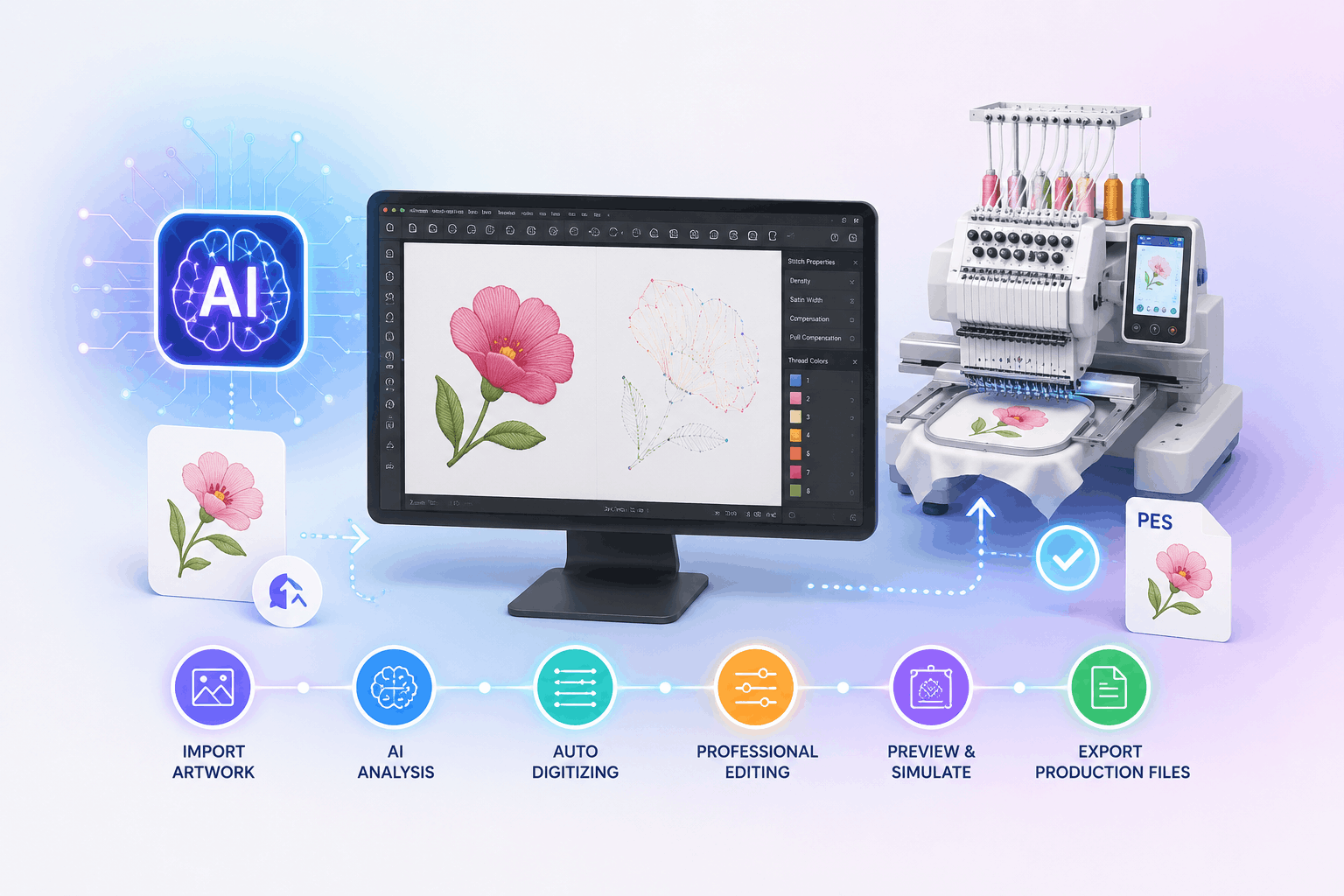
Sign in to save designs to your library, digitize artwork with AI and export to DST, PES, EXP and JEF.