Text to Embroidery Generator
Turn a word into a machine-ready DST or PES embroidery file. Type your text, pick a font, adjust the letter and word spacing, choose your format, and download a clean single-color running-stitch design — free and instant.
Your generated design will preview here.
What is text to embroidery?
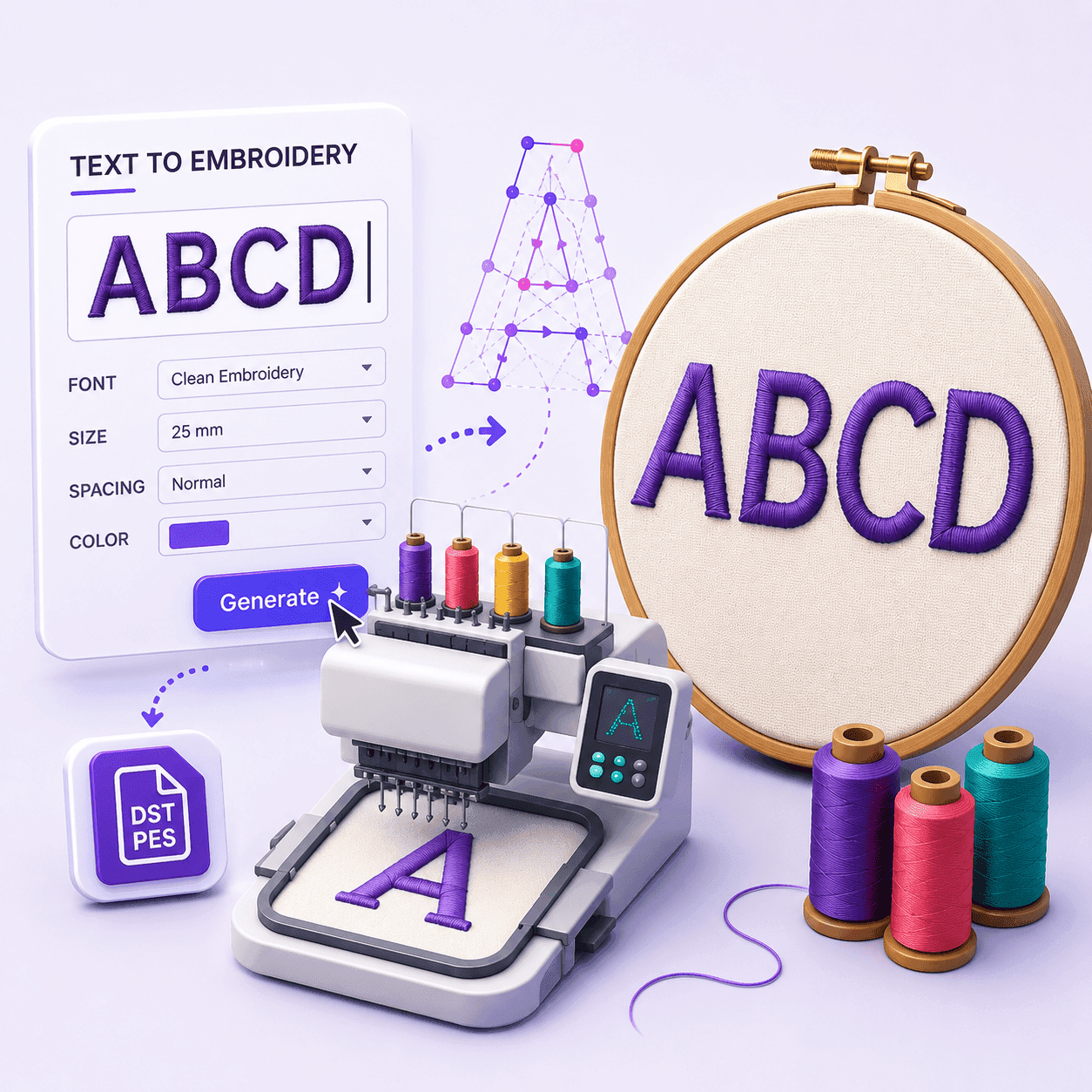
Text to embroidery is the process of turning ordinary typed words into a machine-ready embroidery file that your sewing machine can stitch onto fabric. Instead of hand tracing every letter or paying a digitizer for a small piece of lettering, you simply pick a font, type the word you want, and the tool converts each character into a sequence of stitches the machine follows automatically.
Under the hood, our generator reads the outline of each letter from a clean embroidery font and traces it with an evenly spaced single-color running stitch. A running stitch is the simplest and most reliable stitch type for small text: it produces sharp, readable letters without the thread build-up, puckering or alignment problems that can affect heavier fills. The result is a compact DST or PES file containing the exact stitch coordinates, jumps and trims your machine needs.
This is perfect for quick personalization — names on towels and uniforms, initials and monograms on bags, labels on aprons, team names on caps, or simple captions on patches. Because everything happens in your browser in milliseconds, you can experiment with different words, fonts and spacing for free, preview the stitch-out, and download the finished file the moment it looks right. No digitizing experience, desktop software or subscription is required.
How to use it
Text to embroidery in 4 simple steps
From a typed word to a stitched design in under a minute — no digitizing skills needed.
Choose a font & type
Pick an embroidery font and enter a short word or name. Letters, numbers and common punctuation are all supported, so you can stitch initials, monograms, team names or labels.
Adjust the spacing
Set letter spacing and word spacing in millimeters to control how tightly or loosely the lettering sits. Each font is already sized at its physical height, so there is nothing else to scale.
Pick DST or PES
Choose your download format. We trace each letter's outline into evenly spaced running stitches, the most reliable stitch type for crisp lettering.
Preview & download
Check the true-to-thread preview, stitch count and exact size, then download the embroidery file and load it straight onto your machine.
Features
A simple, honest lettering tool
Type and stitch
Enter any short word and get a clean single-color running-stitch outline of the letters, traced from the font glyphs.
Adjustable spacing
Fine-tune letter spacing and word spacing in millimeters so the lettering sits exactly how you want before you stitch it.
DST or PES, instant & free
Pick DST or PES, then generate in milliseconds — no AI, no login, no waiting. Download the file straight away.
Preview before you stitch
See a true-to-thread preview, stitch count and exact size right here before sending the file to your machine.
Benefits
Why use our text to embroidery generator
Fast, free and predictable — built for clean lettering you can trust on the machine.
Instant, no waiting
Files generate in milliseconds in your browser. There is no AI queue, no upload and no processing delay between typing and downloading.
Free with no login
Generate and download as many lettering files as you like without an account, a subscription or a watermark on the design.
Consistent, repeatable results
Each font sews at a fixed physical size and the spacing is set in millimeters, so you get consistent, predictable lettering every time — ideal for caps, cuffs or label runs.
Preview before you sew
See exactly how the lettering will stitch, with stitch count and size, so you catch sizing or spacing issues before wasting thread and stabilizer.
Works on any device
It runs entirely in the browser on desktop, tablet or phone — nothing to install, no plugins and no operating-system restrictions.
Clean running stitch
A single-color running stitch is the most reliable way to sew small text, giving sharp, readable letters without thread build-up or puckering.
Supported machines
Works with virtually every embroidery machine
Download DST or PES and the lettering loads on home and commercial machines alike.
Brother & Babylock
Download PES — the native format for Brother and Babylock home and commercial machines — and load it directly from USB or card.
Tajima & commercial heads
DST is the universal commercial format used by Tajima, Barudan, SWF, Ricoma and most multi-head machines on the market.
Janome, Bernina & Pfaff
These machines read DST widely, and many models import PES too, so a file generated here will open on the vast majority of home units.
Singer, Husqvarna & more
Any machine or design program that accepts a standard DST or PES file can open the lettering — that covers virtually every embroidery machine sold today.
Not sure which format your machine reads? Choose PES for Brother and Babylock, or DST for almost everything else — DST is the universal commercial embroidery standard.
Screenshots
See it in action
A quick look at the tool, from typing your text to the true-to-thread preview.
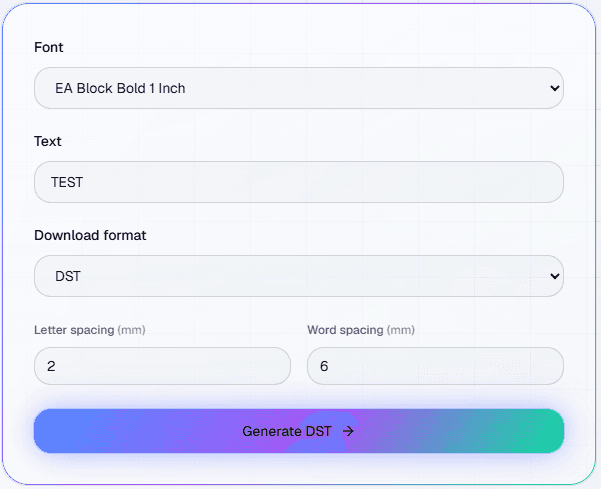
Pick font & type
Choose a font, enter your word and tweak the letter and word spacing. The controls are clear and there are no hidden settings.
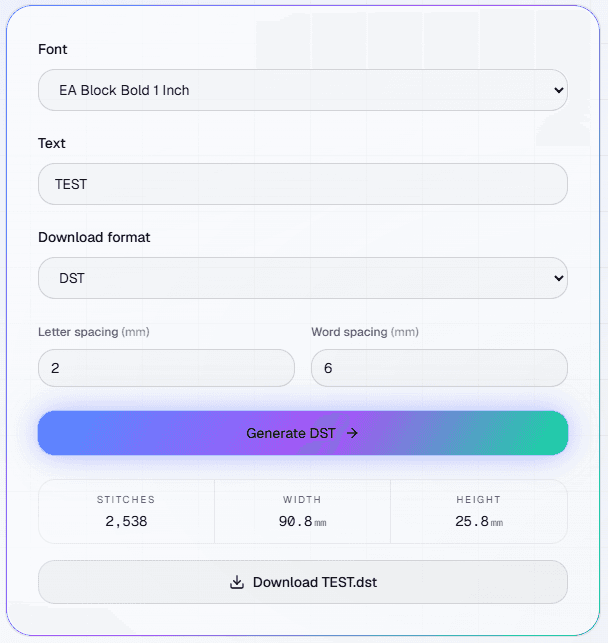
Generate
The letters are traced into a single-color running stitch instantly — no AI queue or upload wait.
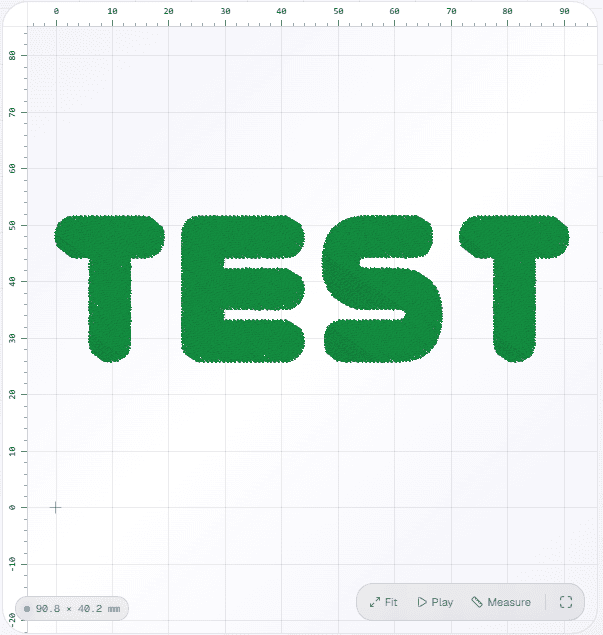
Preview & download
Review the true-to-thread preview with stitch count and exact size, then download DST or PES.
Common problems
Troubleshooting & tips
Quick fixes for the issues people hit most when stitching lettering.
Letters look too thin or skip stitches
Very small fonts can be hard for a running stitch to form cleanly. Pick a larger font size, use a sharp needle and a firm stabilizer, and slow the machine down so each stitch lands accurately.
My machine says "unsupported format"
Make sure you downloaded the format your machine expects — PES for Brother/Babylock, DST for most commercial heads. Re-generate with the correct format selected from the download dropdown.
The text is wider than my hoop
Long words in a large font can exceed small hoops. Reduce the letter and word spacing, choose a smaller font, shorten the text, or split a long phrase across two designs and stitch them in sequence.
Stitches pull in and pucker the fabric
Lightweight or stretchy fabric needs a cut-away or tear-away stabilizer behind it. With proper backing and correct hooping, the running-stitch lettering sits flat without distortion.
I need bold, filled letters
This tool currently produces a single-color running-stitch outline. For thick satin columns or filled lettering, sign in to digitize artwork with AI, which supports richer stitch types.
Text to embroidery questions
It converts a short text string into a machine-ready embroidery file. You choose an embroidery font and each letter is rendered as a single-color running stitch that traces the outline of the glyph. You can adjust letter and word spacing, then download the result as a DST or a PES file.
You can download the generated lettering as a DST file or a PES file. Choose the format from the download dropdown before you generate the design.
Yes. Generating and downloading an embroidery file from text is completely free and does not require an account.
It produces a single-color running stitch that follows each letter's outline. It does not yet create satin columns or fills — those are on the roadmap.
Each embroidery font is built at a fixed physical size, so the letter height is set by the font you pick. You control the layout with two settings — letter spacing and word spacing — both in millimeters, to space the lettering exactly how you want.
Yes. The output uses the standard embroidery orientation, so it renders upright in the EmbroidAI viewer, in other embroidery software, and on the machine.
Yes. DST is the most widely supported embroidery format and PES is the native format for Brother and Babylock machines, so the downloaded file works with virtually any commercial or home embroidery machine and design program.
The size comes from the font you choose — each font is uploaded at a fixed physical size, so the letters stitch at that height. For a single-color running stitch, pick a larger font for the cleanest result, since very small lettering can lose fine detail.
Absolutely. Type any short word, name, set of initials or monogram. It is ideal for personalizing towels, bags, uniforms, caps and gifts with quick, clean lettering.
No. The generator runs entirely in your web browser on desktop, tablet and phone. There is nothing to download or install except the final embroidery file.
If your machine reads DST or PES — which covers Brother, Babylock, Tajima, Janome, Bernina, Pfaff, Ricoma, SWF and almost every other brand — the file will load and stitch. Simply pick the format your machine expects.
Yes. The lettering is generated on the spot and the file is yours to download. We do not publish or share the words you type.
Want to do more than lettering?
Sign in to digitize artwork with AI, save designs to your library and export to DST, PES, EXP and JEF.