Comparisons
Hatch vs EmbroidAI: Which Embroidery Digitizing Tool Should You Use in 2026?
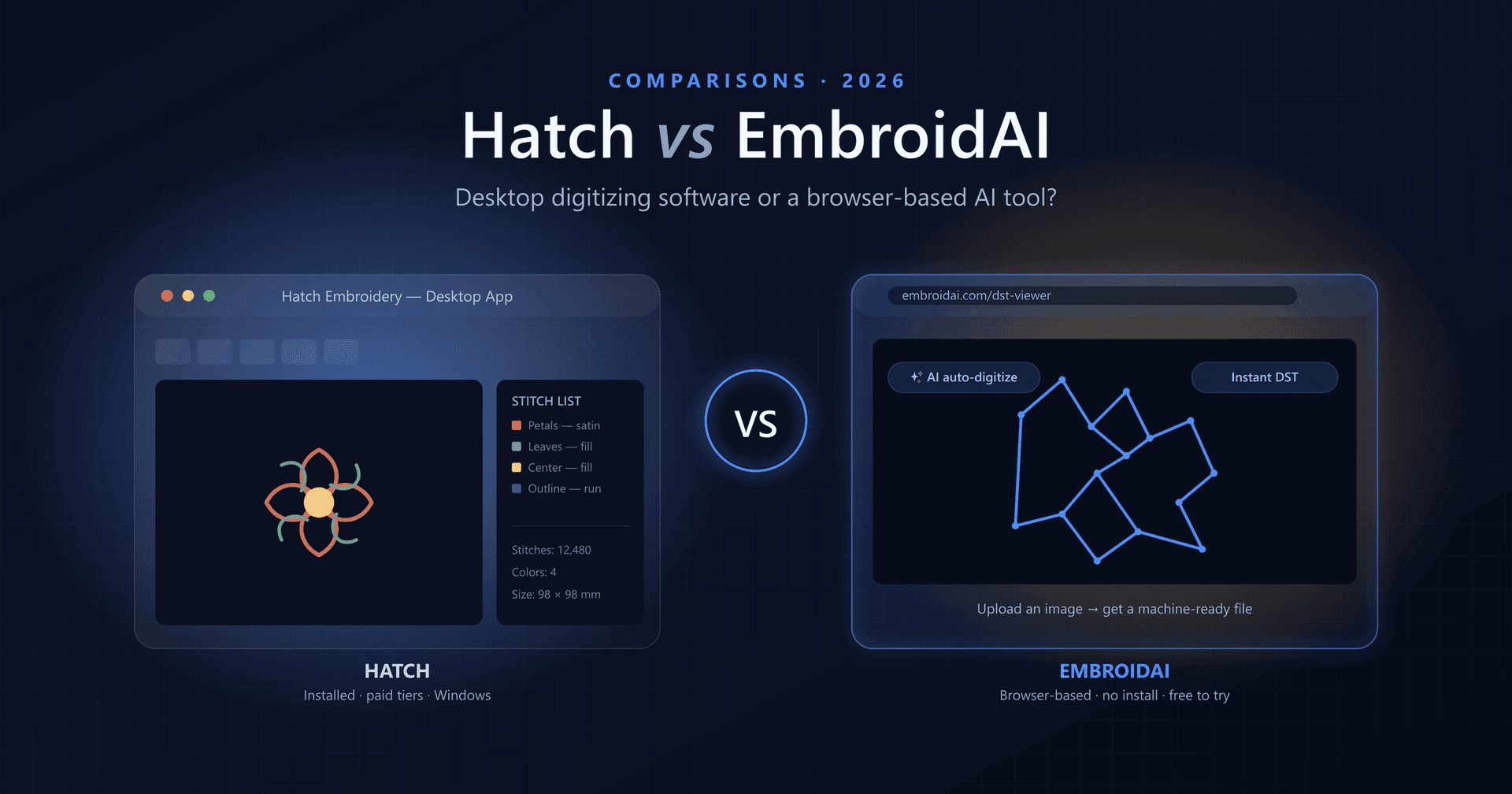
If you make machine embroidery, you have almost certainly run into the same wall everyone does: an image on your screen isn't a stitch file. Turning a logo or piece of art into a design your machine can actually sew — a process called digitizing — is where tools like Hatch and EmbroidAI come in. But they take very different roads to get there.
Hatch is powerful desktop digitizing software you install on a Windows PC. EmbroidAI is a browser-based, AI-powered tool that turns an image into a machine-ready file in seconds. In this guide we'll compare the two head-to-head — price, learning curve, features, platform support, and speed — so you can pick the one that actually fits how you work.
What Is Hatch?
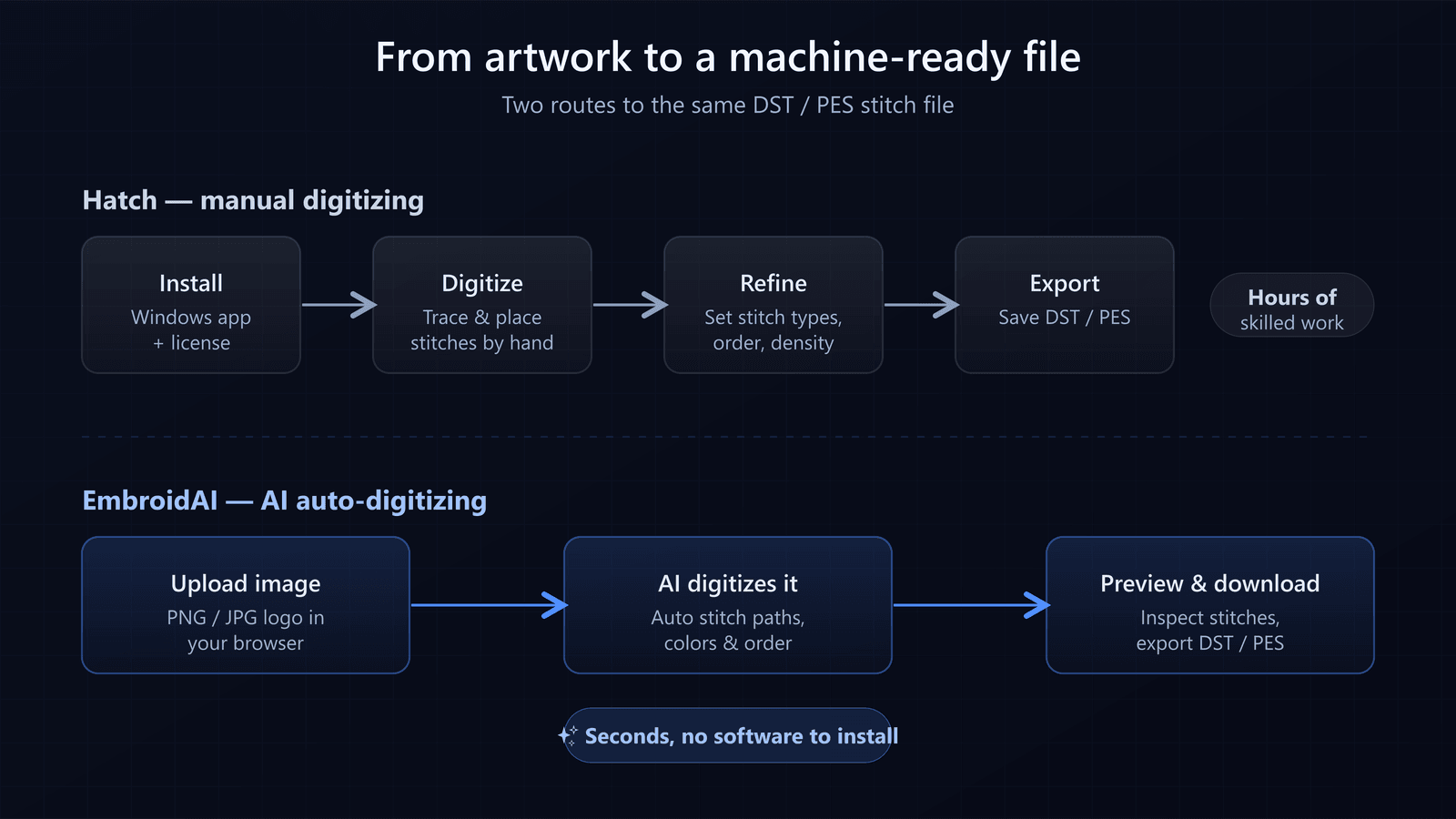
Hatch is a well-known desktop embroidery digitizing program built for Windows. It gives you a full toolbox for creating embroidery designs from scratch: drawing shapes, assigning stitch types, setting stitch order and density, and fine-tuning every detail of how a design will sew.
Because it's a mature, professional application, Hatch is deep. That depth is its strength — an experienced digitizer can control almost everything — but it's also its cost: it takes real time to learn, it's paid software sold in tiers, and it only runs on Windows.
- Installed desktop software (Windows)
- Manual, hands-on digitizing with granular control
- Sold as paid license levels or a subscription
- A steeper learning curve aimed at serious users
What Is EmbroidAI?
EmbroidAI is a modern embroidery platform that runs entirely in your web browser. Instead of asking you to place stitches by hand, it uses AI to auto-digitize your artwork: you upload an image, the AI traces its shapes and colors and rebuilds them as real stitches, and you download a machine-ready DST or PES file.
The whole point is speed and accessibility. There's nothing to install, it works on any device with a browser, and you can start for free — which makes it a natural fit for logos, monograms, text, and everyday designs where you need a clean result fast.
- Runs in the browser — Windows, Mac, Linux, tablet, or phone
- AI auto-digitizing: image in, stitch file out
- Free to start, with no software to install
- Built-in DST viewer to inspect designs before you stitch
Two Approaches to the Same Goal
Both tools end at the same place — a machine-ready stitch file — but the path there is what really separates them. Hatch expects you to build the design; EmbroidAI builds it for you and lets you review the result.
Price and Licensing
Price is often the deciding factor. Hatch is paid software, sold in levels — the more capable the level, the higher the cost — as a one-time license or a monthly subscription. That's a reasonable investment for a full-time digitizer, but it's a meaningful commitment if you only digitize now and then.
EmbroidAI is free to start and requires no license purchase to begin. You can open the tool, upload a file, and see a result without paying anything up front. For hobbyists, small shops, and anyone with occasional needs, that difference is significant.
Learning Curve
This is where the two feel most different. Hatch is powerful, and power comes with complexity — stitch types, pull compensation, underlay, sequencing, and dozens of settings that reward study and practice. New users often spend weeks getting comfortable.
EmbroidAI is built so that a first-time user can get a usable result on their first try. Because the AI handles the digitizing, you don't need to understand every embroidery setting to produce a clean file. You upload, preview, and download.
Platform and Accessibility
Hatch is Windows software. Mac users typically have to run it through a virtual machine or Boot Camp, and there's no way to use it from a phone or tablet. Your designs live on the machine where it's installed.
EmbroidAI runs in the browser, so it works the same on Windows, macOS, Linux, tablets, and phones. You can review a customer's logo on your phone, digitize it on a laptop, and download the file wherever you are — no installation, no platform lock-in.
Speed and Turnaround
Manual digitizing in Hatch is skilled work that can take anywhere from many minutes to hours per design, depending on complexity. That's the price of full manual control.
EmbroidAI's AI auto-digitizing produces a stitch file in seconds. For businesses handling lots of quick jobs — a name here, a logo there — that speed compounds into a real advantage. You can turn around designs while a customer is still on the phone.
Stitch Quality and Control
It's fair to ask: does faster mean worse? Not for most work. Modern AI digitizing produces clean, production-ready results on logos, text, and simple, high-contrast artwork — the bread and butter of most embroidery jobs.
Where Hatch still leads is the extreme end: highly detailed or unusual designs where a professional wants to control every single stitch. If that's your daily work, manual tools matter. For everyone else, the practical answer is to try EmbroidAI first, preview the result, and only reach for heavy manual editing when a design genuinely needs it.
Hatch vs EmbroidAI: Feature Comparison
| Feature | Hatch | EmbroidAI |
|---|---|---|
| Runs in the browser (no install) | ✗ | ✓ |
| Works on Mac, mobile & tablet | Windows only | ✓ |
| AI auto-digitizing | Limited | ✓ |
| Manual stitch-by-stitch control | ✓ | Limited |
| Free to start | Paid license | ✓ |
| Learning curve | Steep | Minimal |
| Image → DST in seconds | Manual | ✓ |
| Built-in DST viewer | ✓ | ✓ |
| Best for quick turnarounds | Limited | ✓ |
Turn an image into a stitch file — free
Upload a PNG or JPG and let EmbroidAI digitize it into a machine-ready DST right in your browser.
Who Should Choose Hatch?
Hatch is the better fit if you:
- Digitize full-time and want complete manual control
- Regularly build complex, highly detailed designs
- Already work on Windows and are happy installing software
- Are comfortable investing time to master a deep toolset
Who Should Choose EmbroidAI?
EmbroidAI is the better fit if you:
- Want to convert logos, text, and artwork to stitches fast
- Prefer no installation and want to work from any device
- Are a hobbyist or small shop who digitizes occasionally
- Value a free start and a gentle learning curve
- Need quick turnarounds without hours of manual work
Final Verdict
There's no single winner — there's a winner for you. Hatch is a deep, professional desktop tool for people who want to control every stitch and are willing to pay for it and learn it. EmbroidAI is a fast, accessible, AI-powered alternative that turns an image into a machine-ready file in seconds, from any browser, for free to start.
For most everyday embroidery — logos, monograms, text, and simple artwork — EmbroidAI gets you a clean, production-ready result far faster and with far less friction. And because it costs nothing to try, the smartest move is simply to test it on one of your own designs and compare the result yourself.
Ready to see it in action? Try EmbroidAI's image-to-DST converter or open the free DST viewer to inspect a design stitch by stitch.
Frequently Asked Questions
Is EmbroidAI a replacement for Hatch?
For many everyday jobs — logos, monograms, text, and simple artwork — EmbroidAI can replace Hatch entirely, because it auto-digitizes an image into a machine-ready file in seconds with nothing to install. Hatch is still the more complete tool for heavy manual digitizing and highly complex designs, so some professionals use both: EmbroidAI for speed and quick turnarounds, Hatch for detailed hand work.
Is Hatch or EmbroidAI cheaper?
EmbroidAI is browser-based and free to try, with no upfront license to buy. Hatch is paid desktop software, usually sold as a one-time license or monthly subscription per level. If you only digitize occasionally, a free online tool is far cheaper than committing to a Hatch license.
Does EmbroidAI work on Mac and mobile?
Yes. EmbroidAI runs entirely in your web browser, so it works on Windows, macOS, Linux, tablets, and phones. Hatch is Windows software, so Mac users normally need a virtual machine or Boot Camp to run it.
Which produces better stitch quality?
For clean, high-contrast artwork, modern AI auto-digitizing produces excellent, production-ready results in seconds. For extremely detailed or unusual designs where every stitch matters, a skilled digitizer working manually in Hatch still has the finest control. Start with EmbroidAI and preview the result — most everyday designs stitch beautifully.
Can I open and view DST files with either tool?
Yes. Hatch opens DST files on the desktop, and EmbroidAI includes a free browser-based DST viewer so you can inspect stitches, jumps, colors, and dimensions without installing anything.