Photo to Embroidery Converter
Turn a photo into a machine-ready embroidery design with AI. Upload a picture, preview the true-to-thread stitch-out, and download a DST or PES file — free and online.
Accepted formats: PNG, JPG, JPEG, WEBP · up to 500 KB · Images are processed securely and never shared.
How photo to embroidery works
Turning a photo into embroiderymeans converting a photograph into a set of stitches a machine can sew. Because thread can't reproduce millions of colors or fine photographic detail, the photo first has to be simplified into a limited number of solid color regions and then digitized into stitch paths.
Our AI does this automatically: it reduces the photo to stitchable tonal regions, traces clean outlines, and plans running and satin stitches sized to your hoop. You get a machine-ready file plus an instant analysis of the stitch count, colors and size.
Photo embroidery works best with high-contrast subjects — a pet against a plain background, a bold portrait, a silhouette or a landmark. Busy backgrounds, soft gradients and tiny details are the hardest to reproduce, so crop tightly to your subject and favor strong contrast.
Everything runs in your browser. Preview how the photo will actually sew, adjust the hoop and stitch settings, and download the design — no desktop software and no account required.
How it works
Photo to embroidery in 4 steps
From a photograph to a stitch-ready file in under a minute.
Upload your photo
Drag & drop or browse for a JPG, PNG or WEBP photo. Crop tightly to your subject for the cleanest result.
AI simplifies the image
The engine reduces the photo to stitchable color regions and traces sharp outlines around them.
Generates stitch paths
Each region is planned into running and satin stitch blocks sized to your hoop, with jumps and trims sequenced for the machine.
Preview & export
Inspect the true-to-thread preview, then download a machine-ready DST or PES file instantly.
Before / after
From artwork to stitches
Drag the handle to compare the original image with the embroidered result.
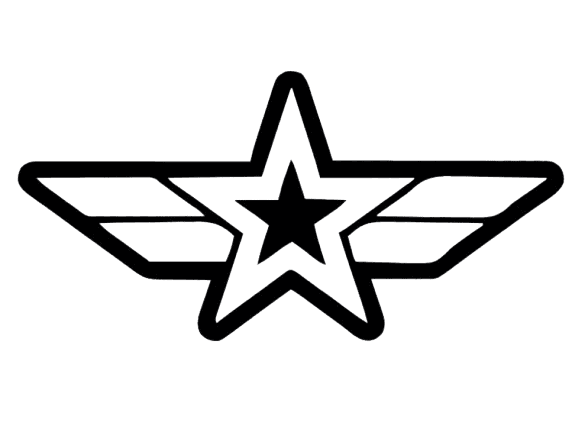 Original
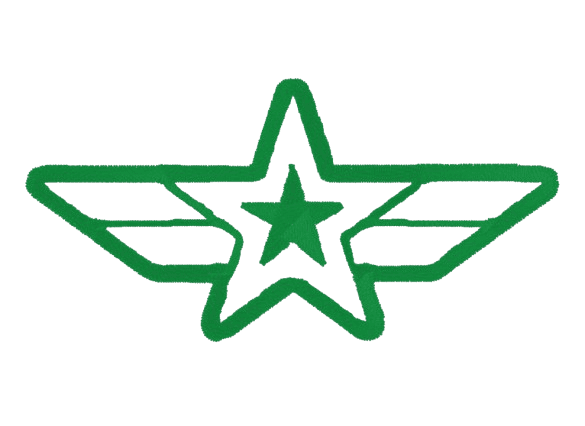 Embroidered
Why EmbroidAI
Photo embroidery without the desktop software
AI powered
Our engine analyzes your image, traces clean vector paths and maps them to machine-ready stitch blocks — no manual digitizing required.
Fast processing
From upload to a stitch-ready preview in seconds. There's no queue and no long render — you iterate on the design in real time.
Professional stitch preview
See a true-to-thread simulation of exactly how the design will sew, with stitch count, jumps, trims and real dimensions.
Multiple formats
Accepts PNG, JPG, JPEG and WEBP in, and exports the universal DST plus Brother/Babylock PES out.
Runs in your browser
Nothing to install. Convert an image to embroidery on desktop, tablet or phone straight from the web.
No software required
Skip the expensive desktop digitizing suites. Everything you need to preview and export a design runs online.
Cloud based
Your image is processed securely on our servers and the result is streamed straight back to your browser.
Built for professionals
Hoop presets, stitch-mode control and pull compensation give embroidery pros the levers they expect.
AI analysis
Know your design before you stitch it
Every conversion comes with an instant read-out measured from the generated file. See the real stitch count and design size, plus AI estimates for thread length, complexity and the needle, fabric and stabilizer that suit the design — so there are no surprises at the machine.
Upload an image to see yoursEstimated stitch count
——
Estimated colors
——
Estimated thread length
——
Estimated size
——
Embroidery complexity
——
Recommended needle
——
Recommended fabric
——
Recommended stabilizer
——
Generation time
——
Benefits
Why digitize photos with EmbroidAI
Preview before you sew so a photo design is worth the thread and time.
No digitizing skills needed
You don't have to learn Wilcom or Hatch or pay a digitizer for every small job. Upload art and get a stitch file back automatically.
Preview before you sew
Catch sizing, density and color-count issues on screen — before wasting thread, stabilizer and machine time on a test run.
Free with no login
Upload, digitize, preview and download a DST without an account. Create one only when you want to save history or unlock more.
Works on any device
It runs entirely in the browser — desktop, tablet or phone — with no plugins, drivers or operating-system restrictions.
Sample designs
Photos that embroider well
High-contrast subjects on plain backgrounds give the best photo-embroidery results.
Supported machines
Works with virtually every embroidery machine
Export DST or PES and the design loads on home and commercial machines alike.
Brother & Babylock
Export PES — the native format for Brother and Babylock home and commercial machines — and load it straight from USB.
Tajima & commercial heads
DST is the universal commercial format read by Tajima, Barudan, SWF, Ricoma and virtually every multi-head machine.
Janome, Bernina & Pfaff
These machines read DST widely, so a file generated here opens on the large majority of home embroidery units.
Singer, Husqvarna & more
Any machine or design program that accepts a standard DST or PES file can open the design — that's nearly every machine sold today.
Not sure which format your machine reads? Choose PES for Brother and Babylock, or DST for almost everything else — DST is the universal commercial embroidery standard.
FAQ
Photo to embroidery questions
Everything about turning photographs into machine embroidery designs.
Upload your photo to the converter at the top of this page. The AI simplifies it into stitchable color regions, traces outlines, and plans the stitches into a machine-ready file. Preview the stitch-out and download it as a DST or PES — free, no login.
It depends heavily on the photo. High-contrast subjects with plain backgrounds — pets, portraits, silhouettes, landmarks — reproduce well. Busy scenes, soft gradients and fine detail are much harder to capture in thread, so results on complex photos are more stylized than photo-realistic. The preview lets you judge before stitching.
Choose a sharp, well-lit photo with strong contrast and a simple background, and crop tightly to the subject. Reducing clutter and increasing contrast before uploading gives the cleanest, most readable stitch-out.
Yes. Uploading a photo, digitizing it, previewing the stitches and downloading a DST is free and needs no account.
You can download the design as a DST file (universal commercial standard) or a PES file (Brother and Babylock). Both open on the large majority of embroidery machines.
Yes, portraits with good contrast work well. Make sure you have the right to use and embroider the image, especially for photos of other people or commercial use.
No. The whole process runs in your browser on desktop, tablet or phone — nothing to install except the finished embroidery file.
Related tools
More free embroidery tools
Image to Embroidery
The full AI converter — upload any image and download a DST or PES.
JPG to DST
Convert a JPG photo or logo into a Tajima DST embroidery file.
Logo to Embroidery
Digitize a brand logo for caps, polos and workwear.
AI Embroidery Generator
Generate machine-ready embroidery from any image with AI.
Embroidery Digitizing
What digitizing is, how it works, and how to get clean results.
DST Viewer
Open and inspect any Tajima DST file in the browser.
Ready to turn your photo into embroidery?
Upload a photo and preview the stitch-out in seconds — free, no login. Create a free account to save history and unlock hi-res, multi-color exports.