Embroidery Basics
What Is a PES File? Complete Guide to the Brother PES Embroidery Format
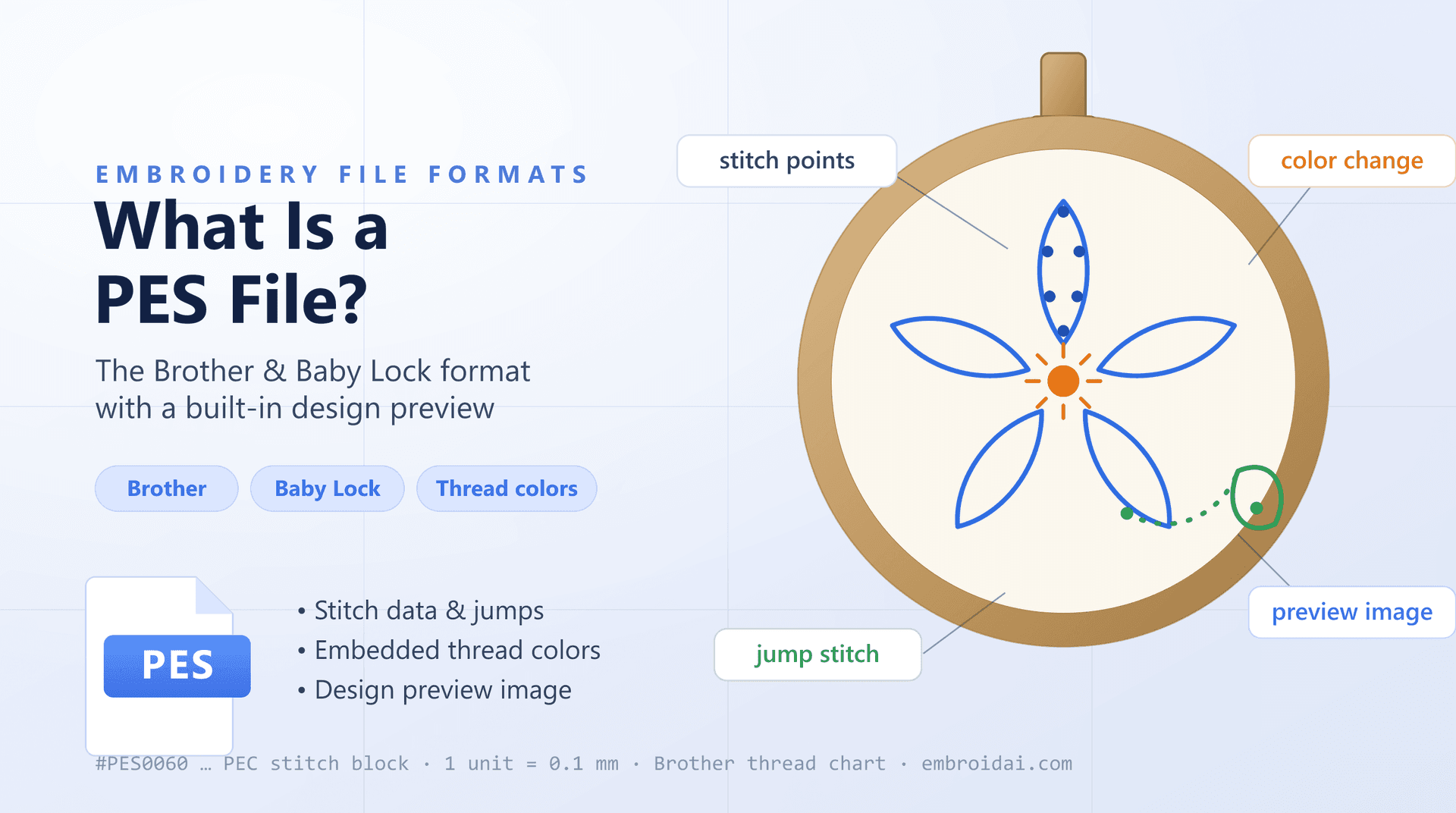
If you own a Brother or Baby Lock embroidery machine, PES is the format your machine speaks. Almost every design you buy, download, or digitize ends up as a PES file before your machine will sew it — and unlike bare production formats, a PES file even carries a little preview of the finished design.
In this guide, you'll learn what a PES file is, which machines use it, what stitch, color, and preview data it stores, how it compares to DST and JEF, and how to open, view, and convert PES files.
What Is a PES File?
A PES file is a machine embroidery file format developed by Brother, one of the world's best-known sewing and embroidery machine makers. The name comes from Brother's PE-Design digitizing software — PES is the format PE-Design saves.
Like other machine formats, a PES file is not an ordinary picture. It contains the instructions an embroidery machine follows to sew a design:
- Stitch movements in 0.1 mm steps
- Jump stitches that travel between design sections
- Color change stops
- The thread color for each block of stitches
- A small preview image of the finished design (in newer versions)
Those last two points are what set PES apart from bare-bones production formats like DST and EXP: a PES design remembers its colorway and a thumbnail, so software and machines can show you what the design looks like before a single stitch is sewn.
Where Does the PES Format Come From?
Brother introduced PES alongside its PE-Design software in the 1990s, and it quickly became the standard format for home embroidery on Brother machines. Because Brother also builds machines sold under the Baby Lock brand — and built Bernina's Deco line — all of those machines read PES too, making it one of the most widely supported home formats in the world.
The format has evolved through many versions — from PES v1 up to v11 and beyond — with newer versions adding richer color data and larger preview images. That versioning matters in practice: an older machine may not read a design saved in a version newer than its firmware supports.
What Information Does a PES File Contain?
A Header and Version Number
A PES file begins with a signature ("#PES") and a version tag such as #PES0060. The header points to where the stitch data begins and, in newer versions, to an embedded thumbnail of the design.
The PEC Stitch Block
Inside every PES file is a PEC block — the part that actually holds the stitches and the color list. Stitches are stored as small X and Y movements from the previous needle position, measured in 0.1 mm units, the same resolution as DST and JEF.
Thread Colors
Each color block references a thread from Brother's standard palette. The machine uses these to display the design in its intended colors and to prompt you for the correct thread at every color-change stop.
A Design Preview
Newer PES versions embed a bitmap thumbnail of the stitched-out design. This is why PES designs show a color preview in file browsers and embroidery software, while formats like DST show nothing until you render the stitches.
What Does a PES File Not Contain?
PES is still a stitch format, not a fully editable design source:
- Editable design objects (outlines, lettering, and fills as shapes)
- Unlimited custom colors — colors map to Brother's thread chart
- Fabric or stabilizer recommendations
- The layered project data kept in PE-Design's own .ped files
As with every machine format, professional digitizers keep the master design in their software's native project format and export PES for Brother and Baby Lock machines.
PES vs DST: What's the Difference?
Both formats drive embroidery machines, but they come from different worlds — PES from home embroidery, DST from commercial production:
| PES File | DST File |
|---|---|
| Developed by Brother | Developed by Tajima |
| Native to Brother and Baby Lock home machines | The commercial industry standard |
| Stores thread colors (Brother palette) | Stores no thread colors |
| Embeds a design preview thumbnail | Has no preview — stitches must be rendered |
| Common for home embroidery designs | Common for logos and production files |
The two convert cleanly in either direction — just remember that converting PES to DST drops the color and preview information, because DST has nowhere to store them. For a deeper side-by-side, see our full guide on DST vs PES, and for the other big home format, our guide to the JEF format.
How Are PES Files Created?
PES files are created through embroidery digitizing — converting artwork, logos, or text into machine-readable stitch instructions.
During digitizing, the designer decides on:
- Stitch types (running, satin, and fill stitches)
- Stitch directions and density
- Underlay to stabilize the fabric
- Pull compensation for fabric stretch
- The sewing sequence, colors, and travel paths
Once the design is finished, the software generates the stitch data, maps the chosen threads onto Brother's palette, writes the preview thumbnail, and exports a PES sized for a specific hoop — or a DST, JEF, or EXP for other brands.
How to Open and View a PES File
There are three practical ways to open a PES file:
Embroidery Software
Brother's PE-Design and most digitizing suites — Wilcom, Hatch, Embird, and the free Ink/Stitch — open PES designs and can re-export them to other formats.
Embroidery Machines
Brother and Baby Lock machines read PES directly from a USB stick and show the design, its colors, and the required hoop on screen.
Online Viewers
An online viewer lets you inspect a design in the browser without installing anything. The free EmbroidAI PES viewer opens a .pes instantly in its real thread colors and shows stitches, jumps, and exact dimensions. Have the same design in another format? There's a matching DST viewer and JEF viewer as well.
Work with embroidery files in your browser
Convert PES ↔ DST for free, or sign in to digitize artwork and export machine-ready PES, DST, EXP, and JEF files.
Common PES File Problems (and Fixes)
The machine won't read the file
PES has many versions. If a design was saved in a PES version newer than your machine's firmware, the machine may reject it. Re-save the design in an older PES version (most software lets you choose) and try again.
The design is too big for the hoop
PES designs are saved for a specific hoop size. If the design is larger than your machine's embroidery area, it won't load. Resize it in embroidery software, or choose a version made for a smaller hoop.
The design stitches poorly after resizing
Like every stitch format, PES contains final stitch data, so scaling changes stitch spacing without regenerating stitches. Resize the original digitizing file, or have the design redigitized at the new size.
Common Uses of PES Files
You'll typically encounter PES files in:
- Home embroidery on Brother and Baby Lock machines
- Design marketplaces that bundle PES alongside DST, JEF, and EXP
- Monograms, appliqué, and in-the-hoop projects
- Small-business embroidery run on Brother machines
Brother's enormous installed base of home machines keeps PES one of the most requested formats in every design shop.
Frequently Asked Questions
What does PES stand for?
PES is the native embroidery file format created by Brother. The name comes from Brother's PE-Design digitizing software (the 'PE' in PE-Design), and the format is used across Brother and Baby Lock home embroidery machines.
Which embroidery machines use PES files?
PES is native to Brother and Baby Lock embroidery machines, and to Bernina's Deco line, which was built by Brother. Most other machines can sew a PES design after converting it to their own format, such as DST, JEF, or VP3.
Do PES files store thread colors?
Yes. A PES file records the thread color for each block of stitches, so the design opens in its intended colorway. Newer PES versions also embed a small preview image of the finished design.
What is the difference between PES and PEC?
PEC is the stitch block that lives inside a PES file — it holds the actual stitch data and color list. PES wraps that PEC block with a header, a version number, and (in newer versions) a preview thumbnail. Some older Brother machines read bare .pec files directly.
Can I convert a PES file to DST or JEF?
Yes. Because PES, DST, and JEF all store stitch data, embroidery software and online converters can translate between them while keeping the stitches intact. Converting PES to DST drops the color information, since DST cannot store thread colors.
Why won't my PES file open on my machine?
The most common causes are a PES version newer than your machine supports, or a design larger than your machine's hoop. Re-save the design in an older PES version or for a supported hoop size in embroidery software, then load it again.
Conclusion
A PES file is Brother's native embroidery format: stitch movements, jumps, and color-change stops, wrapped in a header with a version number and — unlike DST or EXP — the design's actual thread colors and a built-in preview thumbnail.
If you receive a PES design, you can sew it directly on a Brother or Baby Lock machine, open it in embroidery software, or convert it to DST, JEF, or EXP for any other brand. Knowing what the format stores — especially its version number and hoop requirement — is the key to trouble-free stitching.